What it is
Improvlens is a mobile app for event photo sharing. Hosts create an event, guests join with invited code or QR, upload their best shots then hosts can see an album dedicated to them from guests POV.
First ever experience with having an idea and bringing it to life.
Why It Was Built
Me and my wife actually were planning our wedding, I was inspired by this one app that has the same idea, so I kinda copy the concept but with my own flavors.
The idea was also came from me and my wife wanted to reminisce the day again while we were on our honeymoon.
The problem
If you ever been married, you know for sure that asking every guests to send you their photos is kind of a pain in the ass.
Maybe a simplier version here and a fun one to interact with your guests is to just let them voluntarily drop their pics inside your managed interface.
Host flow
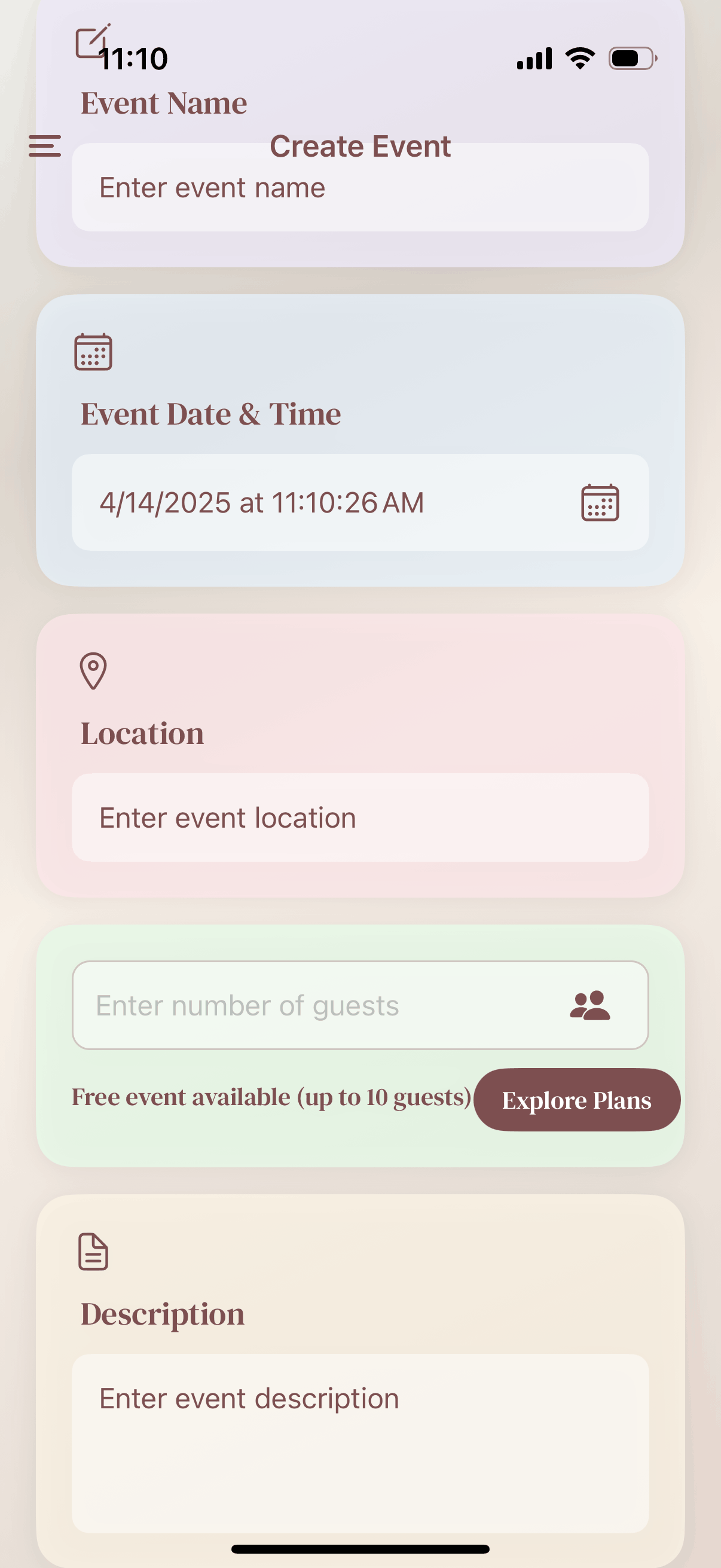
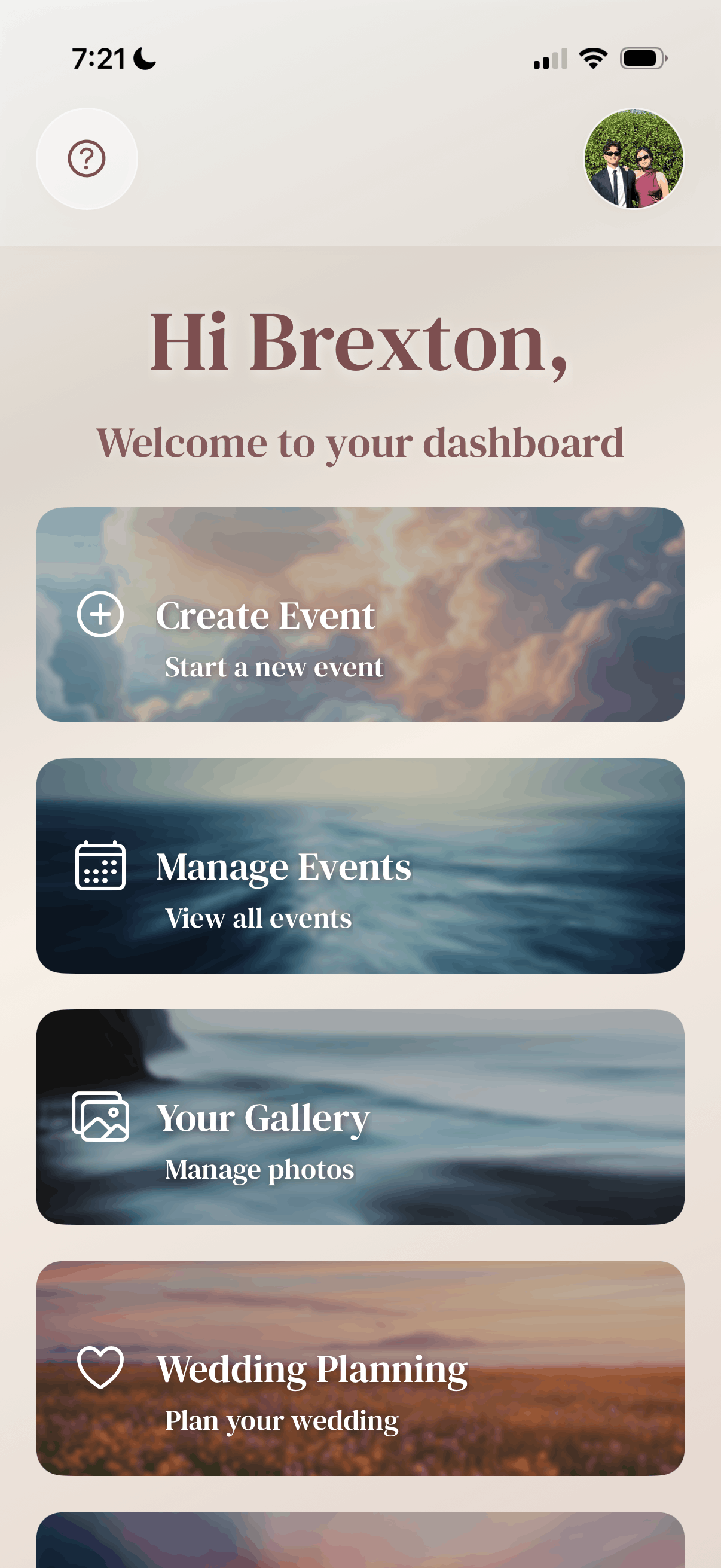
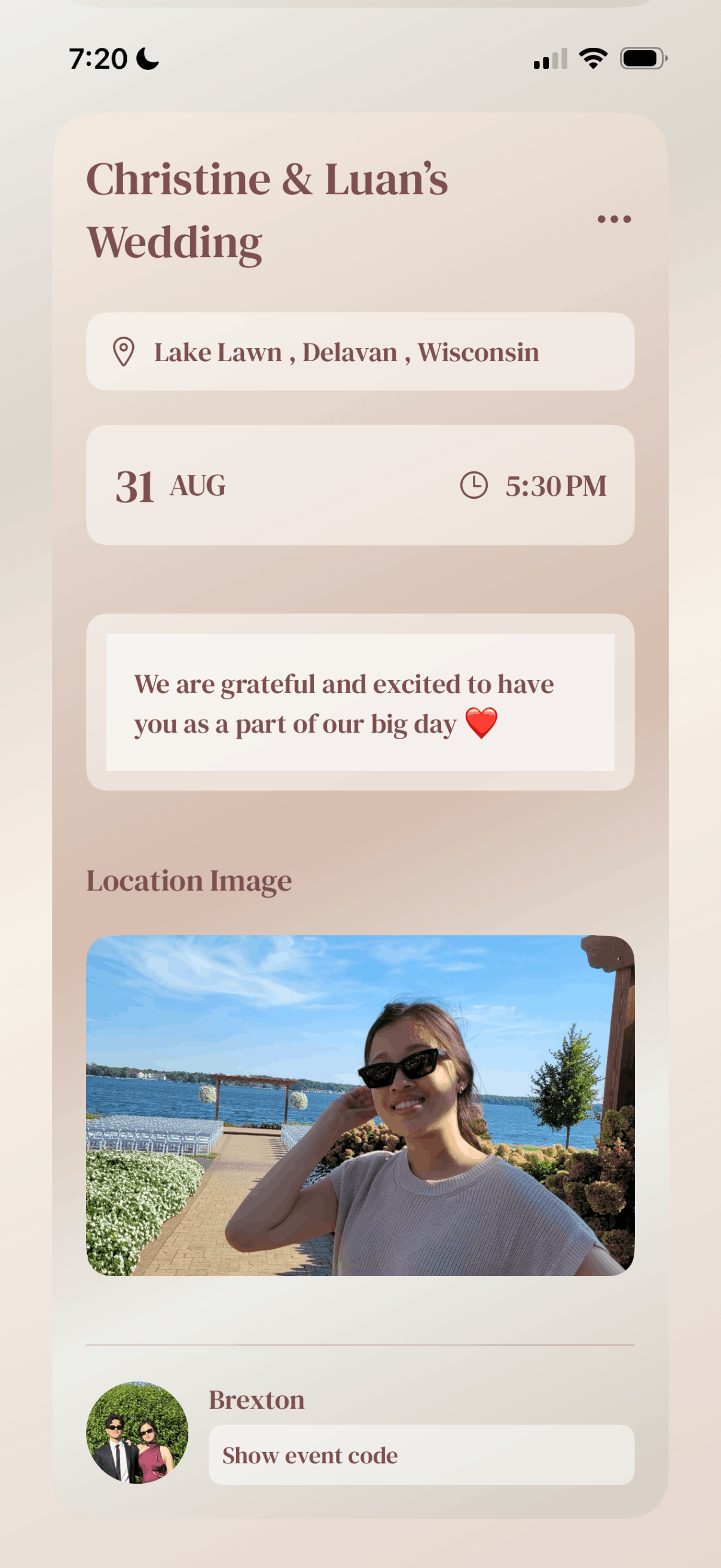
The host side is a card-based dashboard. Create an event, set the date, location, guest photo limits, and a custom welcome message. You get a digital event card with a QR code and a private access code to share.
From there you can manage all your events, watch guest activity, review submitted photos, and update your profile. Status updates come in live as guests upload.
- Create an event with name, date, time, and location.
- Set how many photos each guest can upload ( one-time payment for hosts ).
- Share the event card via QR code or access code.
- Review photos and messages as they come in.
- Track event status and guest activity from one dashboard.
Guest flow
Guests join with the invitation link and access code. They see the event details ( like timeline and menu ), how many photos they can still upload, and a window to submit (12+ hours after the event starts).
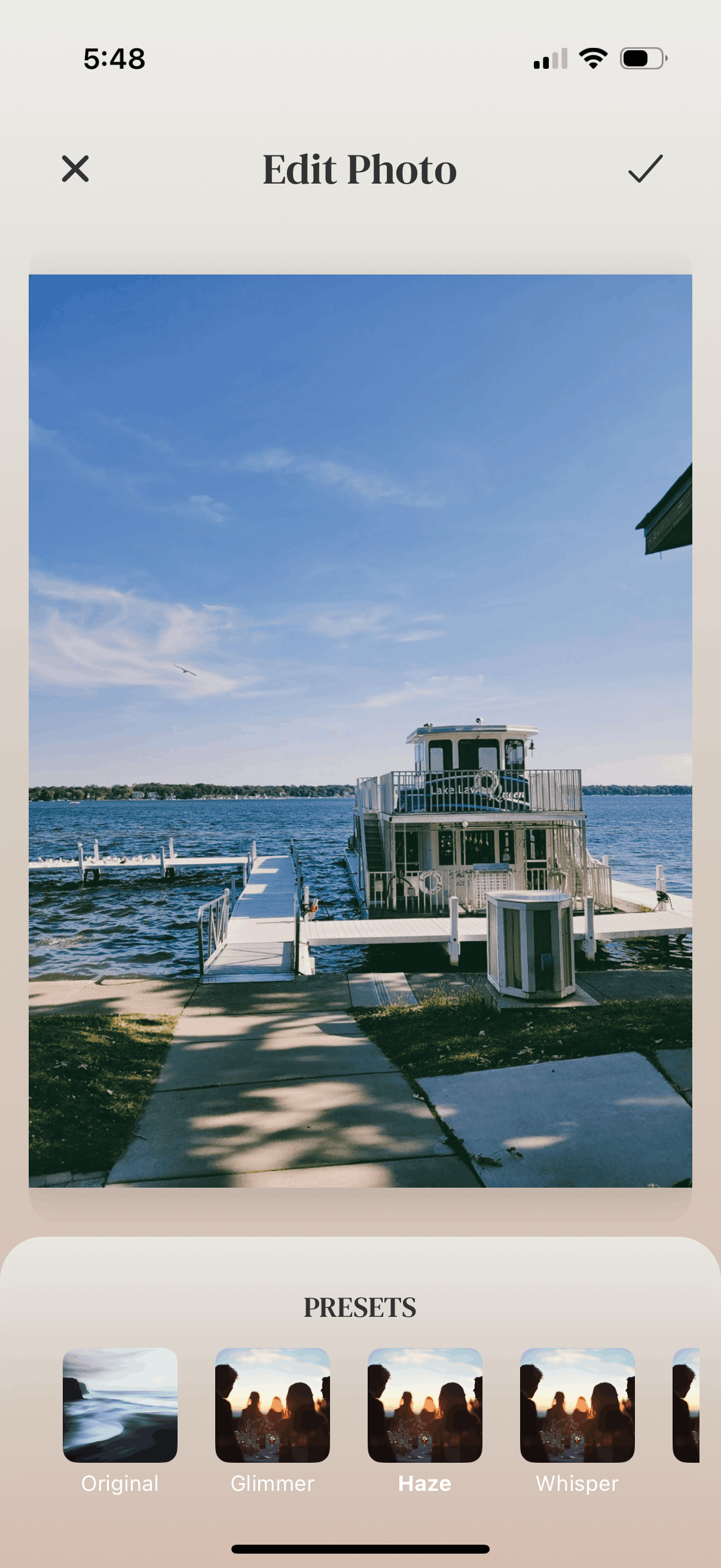
They pick photos from their camera roll, apply a film filter if they want, write a short message to the host, and send it. Upload progress shows on screen so they know it went through.
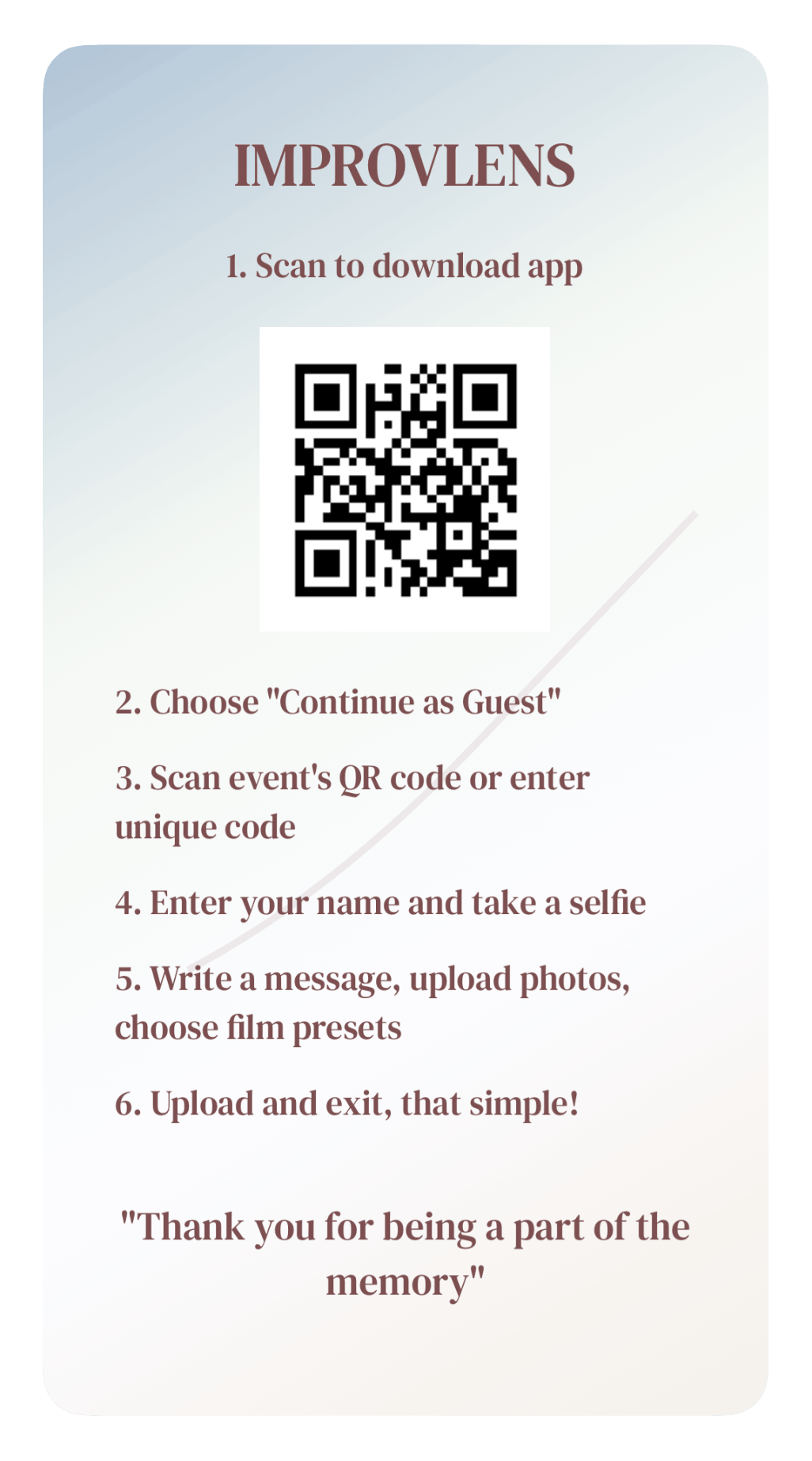
- Join the event with a code or QR scan.
- See photo quota and time left to upload.
- Pick photos from the gallery or camera.
- Preview filters before submitting.
- Add a message and send to the host.
Tech stack
Standard mobile stack, LLMs friendly. Nothing fancy on purpose. I wanted to learn the basics and ship something real.
- React Native with Expo for iOS and Android.
- Supabase for auth, user accounts, and real-time updates.
- BackBlaze B2 for storing and serving images.
- RN-Skia for on-device image filtering.
- Rookie mistake: having 2 Backends is not a good idea for real-time function apps.
Real-time and storage
Supabase handles auth and sessions. Hosts and guests have different roles. Guests can only see events they were invited to.
Photos upload through Supabase Storage as smaller dimension ( i was being cheap and didnt want to bomb my free tier), then get served from BackBlaze B2 with original quality ( B2 was cheaper 💀). When a guest submits a photo, the host dashboard updates without refreshing. Same for status changes and activity tracking.
Private events only. No code, no access. Hosts control who gets in and what gets shared.
Filters
Guests can apply Instagram-style filters before they upload because why not 🤝. Used Skia shaders so previews run on device in real time. No waiting on a server to process the image.
This was also where I first learned about LUTs and color grading. That rabbit hole eventually led to Aesthetikk, my second project .
Reflection
Its far from perfect, but it taught me alot about designing and shipping a product from scratch.
This was the early days of the LLMs being still trash, so about 50% of the codes were LLMs and half was kinda researched and copied from StackOverflow and other blogs still.
What was also really funny to think of was probably 15 out of our 120 guests were interested enough to download and got inside the event, but none uploaded a photo 💀, the problem was they have to download the app from AppStore and Googleplay, i mean having no direct QR code link to the web view was a big mistake.
Also as I mentioned ,having 2 backends , it means that the code has to use RPC for one upload function, another function to split the image quality into the 2 backends, another function to save and serve, another function to check photos limit. Which makes it slower than a mf.
Anyways, I learned a lot and I didnt really want to invest + maintain it, so It was just left there in the stores. Apple was generous and kept it still , Android took it down for no activities, lol.
So I moved on to Aesthetikk.